
Version 5.4 - December 5, 2025
Smartphone: new customer record header
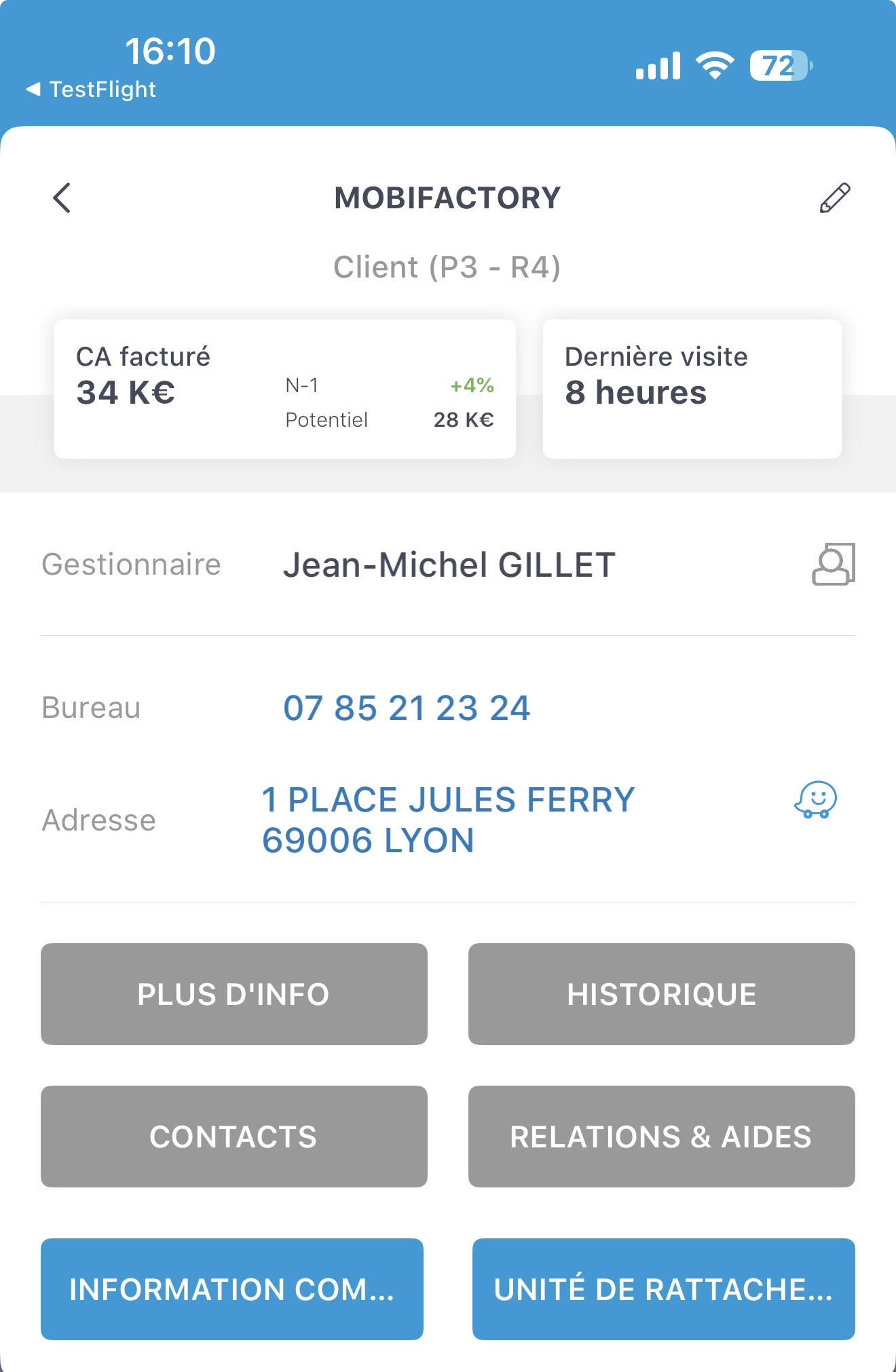
The customer record header now displays the invoiced revenue to date, with the change compared to last year, the account potential and the date of the last visit.
Tapping the invoiced revenue displays the details of the invoiced revenue for the year, month by month, the cumulative total to date and the change vs. last year.
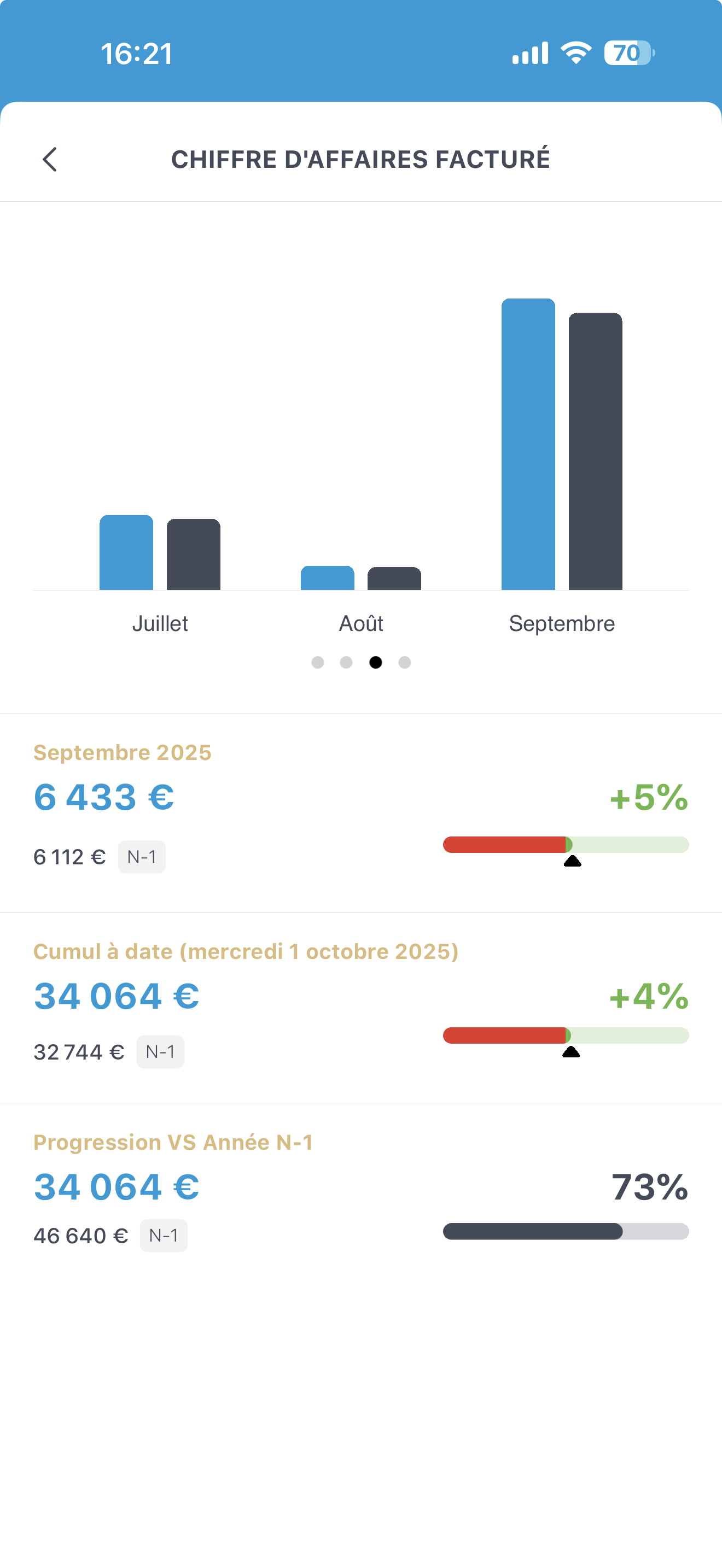
Note that if you are not in Invoiced revenue mode, the same information is displayed but based on won businesses.
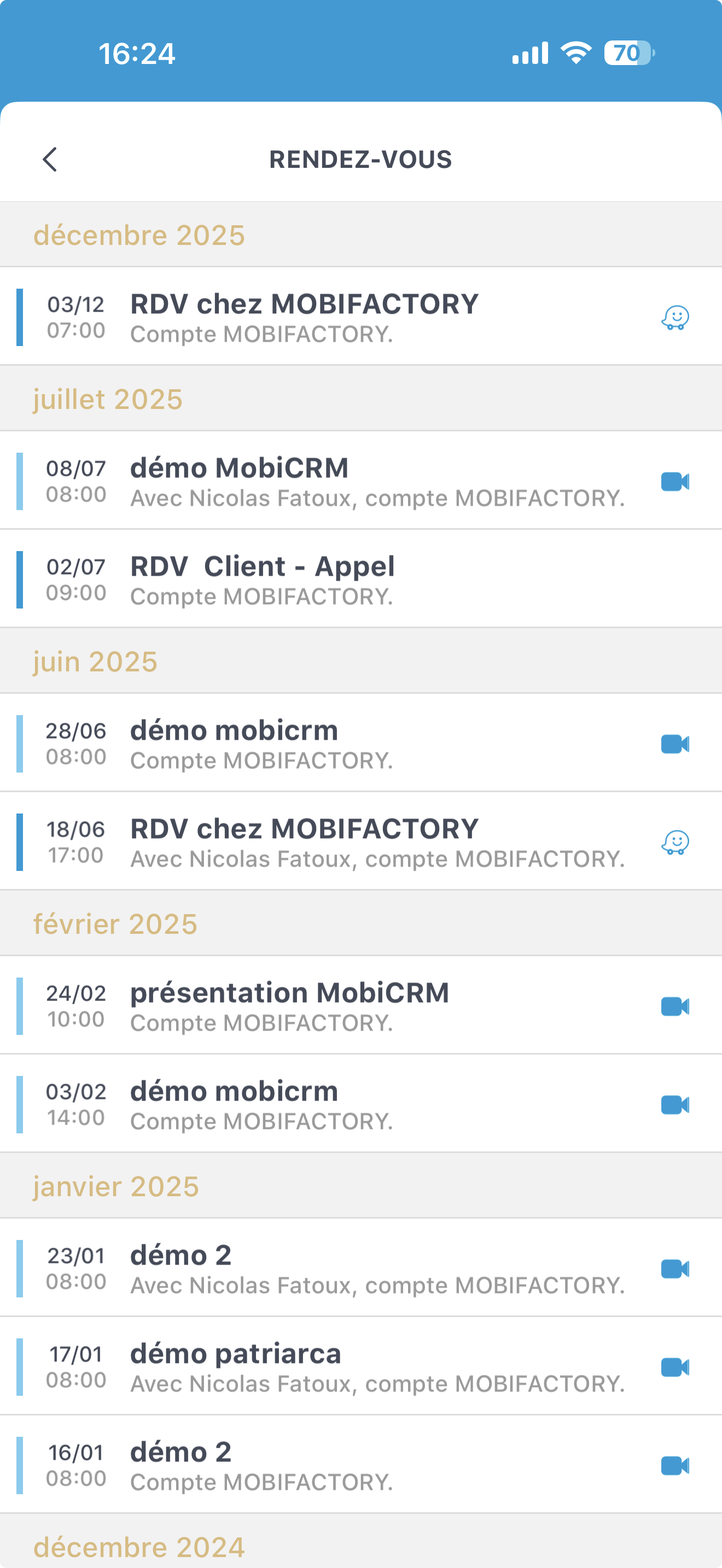
Tapping Last visit displays the list of completed appointments.
Smartphone: new filtering system for accounts, contacts, businesses and leads
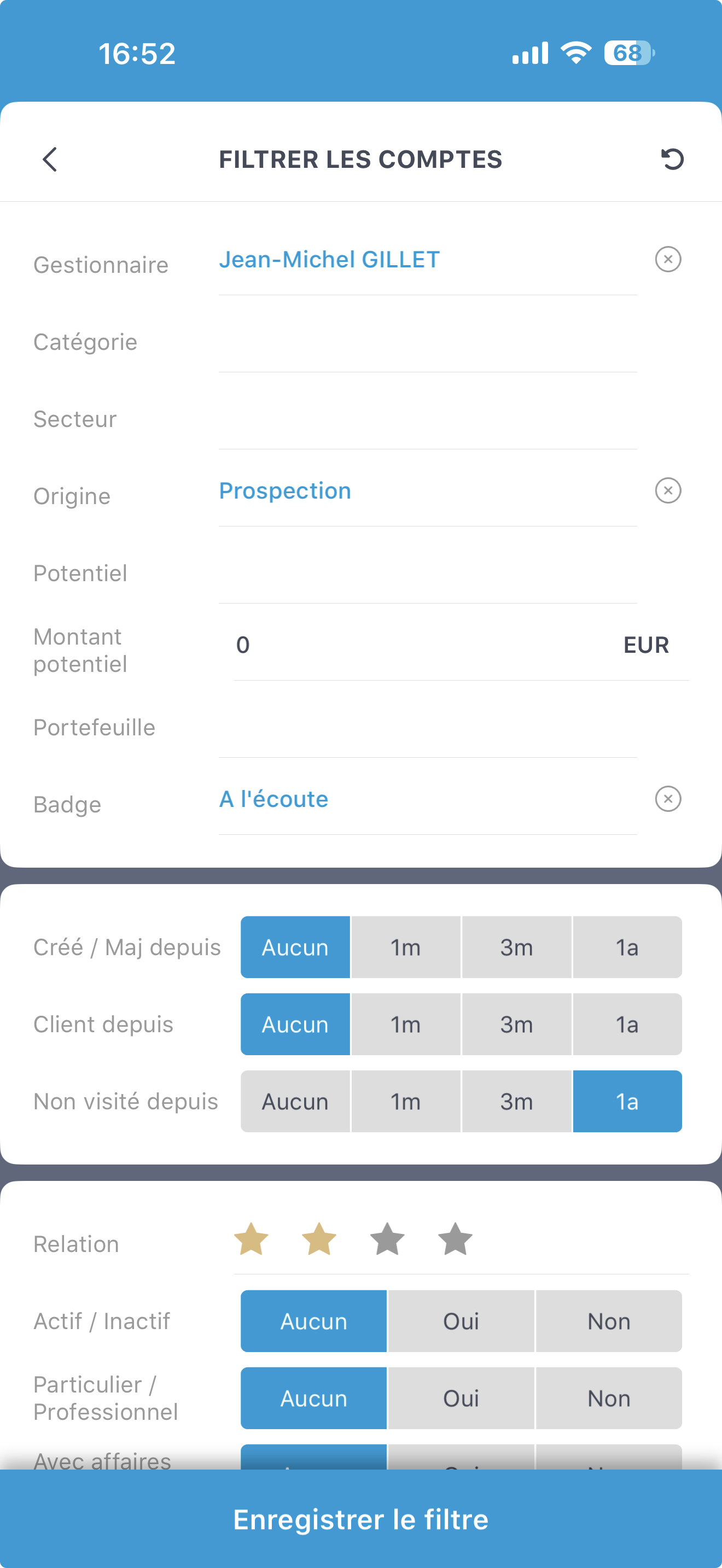
The smartphone filtering system has been completely redeveloped so you can select your accounts more precisely.
The filter button shows how many filter criteria are active. In this image, 2 filters are active.
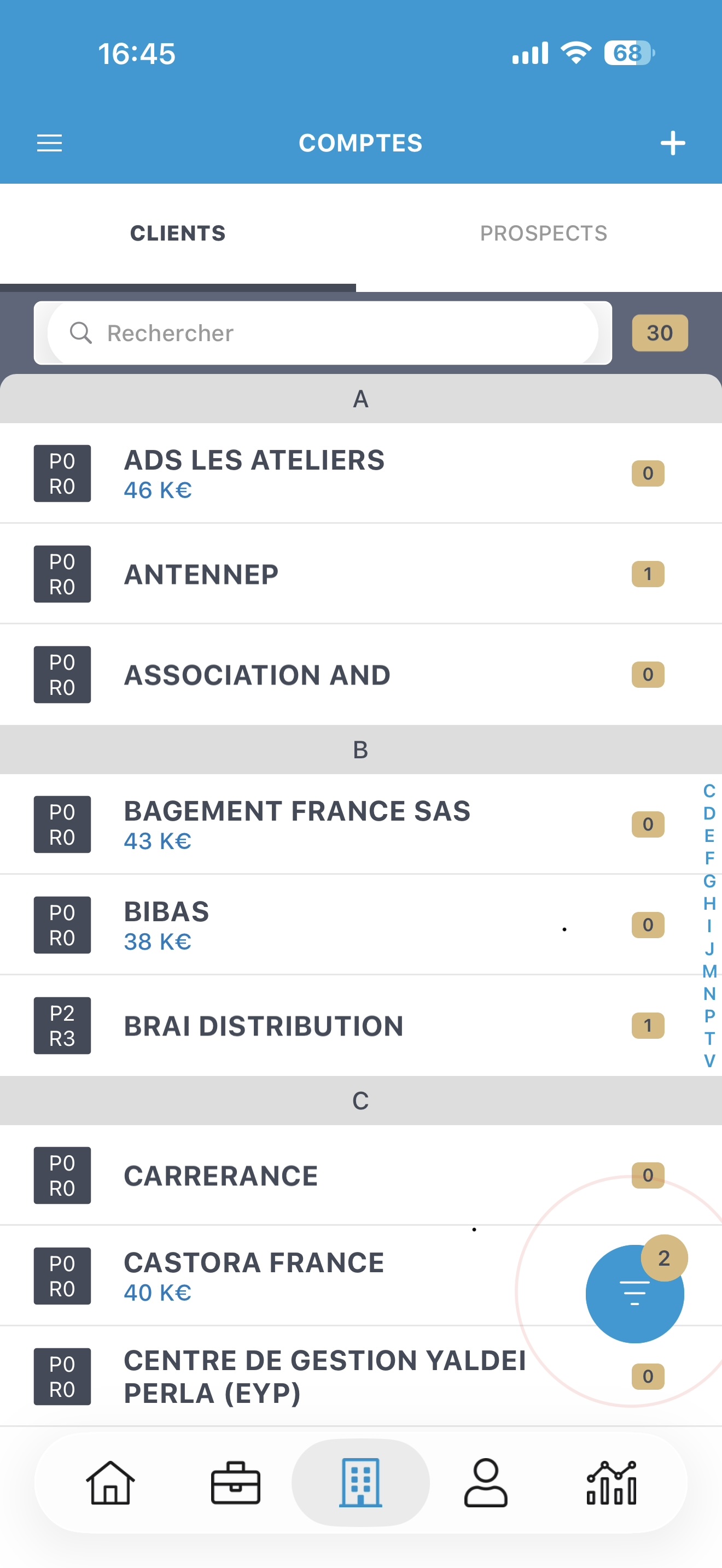
Tapping the button opens the new filter window, letting you select your accounts based on several criteria. Don't forget to save your filters!
Web: customizing the business display
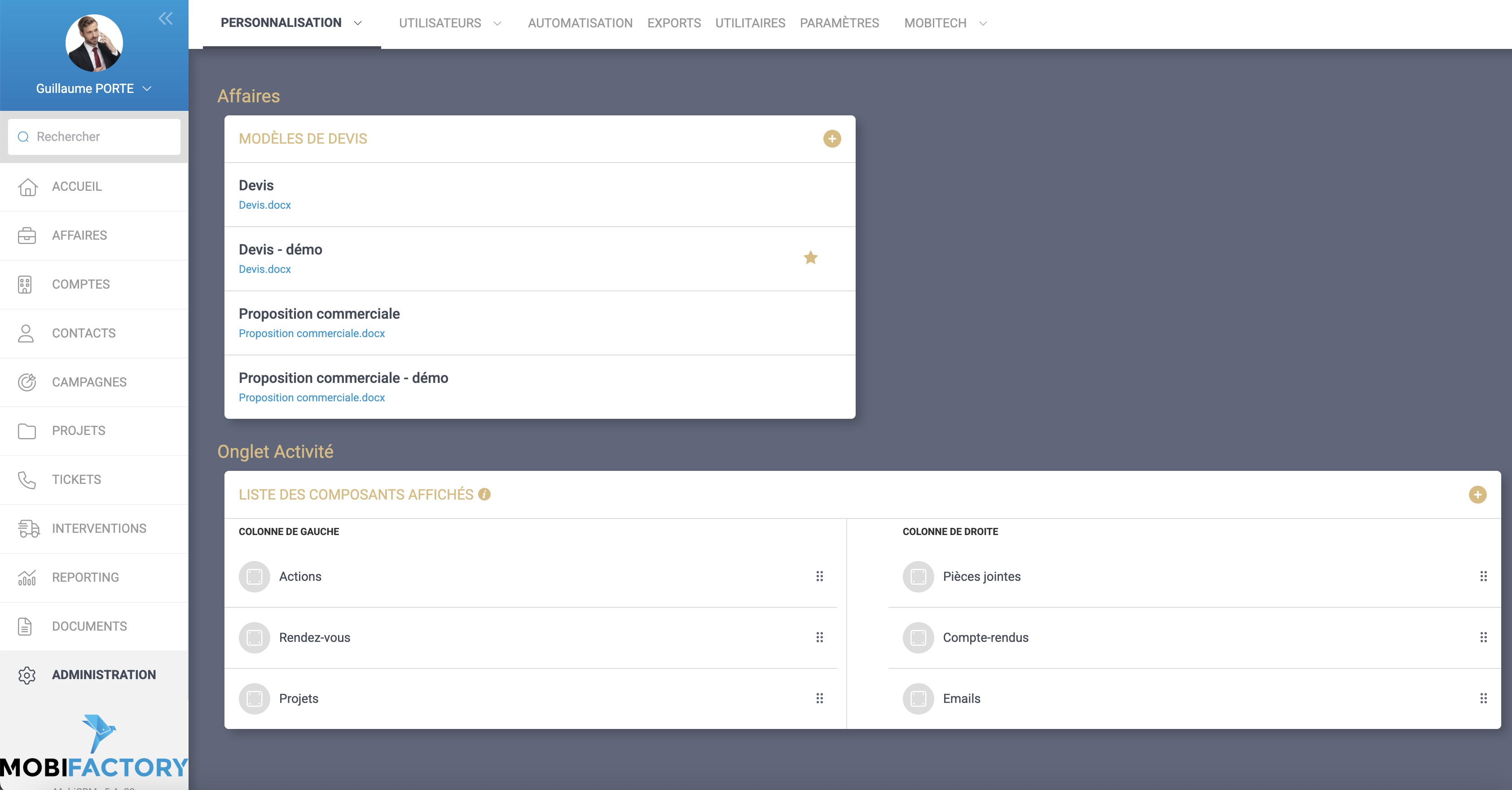
As for accounts, you can now choose which blocks to display in the business 360 view, and where. Menu Administration/Customization/Business.
And as always, various improvements and optimizations on the smartphone and on the web.